Tuesday, July 04, 2006

Where to next?- Ask the Network

Network Learning

The TLRU is working within an international Tourism Hospitality education network (THED) as part of the Learnscope 2006 teacherConnect project. Working as an enabler with students and teachers using technology, the next logical stage is to explore the pedagogical possibilities for students and teachers to participate communicate create and work within their own online networks, in particular with mobile technologies (These can be readily used in the classroom).

We are exploring these possibilities, communicating and working within a networking learning pedagogy researching digital literacy, access to technology and access to information and the Internet. Here is the podcast from the first THED Illawarra meeting.

Importantly the focus at last is shifting from creating product to the creative process of working with student’s and teachers (an example working with the T&H students, the process took one hour). Students using technology to create and share their own resources, achieve their learning outcomes and attain and act on knowledge at a given point off time as part of their personal learning network.

Roles are changing, becoming more open, networked, and hands on working with and fostering the creativity of students and teachers to help them achieve their individual learning goals and set up their own networks with technology until self sufficient... the way it should be.

Sunday, June 25, 2006

Open, Networked and Hands On - Fostering Student Creativity

Reflecting on why I teach and where the value is for students, a constant in my day-to-day work is the process of change itself. I'm working in a continuous state of change. Each day is a flux of:
  • New information.
  • New technologies.
  • New people within my network.
  • New thoughts…

The continual flow of ideas from multiple sources affects the decisions I make and my actions in my workplace. What enables me to cope and adapt to the change is my own creativity and learning from the ingenuity and knowledge of the people in my networks such as TALO.

In education to acknowledge the process of rapid change as a reality of working life and necessity to remain competitive in the workplace now puts the emphasis on the process of fostering student creativity in all aspects of education.

Fostering student creativity

Ken Robinson in his recent funny and inspiring speech on education states ‘Creativity is having original ideas which are off value.’


I have been thinking about this for some time and agree with his key point ‘In Education Creativity as important as literacy’.

In my educational role the value is in facilitating, enabling and supporting teachers and students for the networked working world, to enable them to

  • Be creative with the technology they use in day to day work and life i.e. Mobiles, Skype, Blogs…
  • To participate communicate and work within networks, organization networks, class networks open networks on net.
  • To be aware of change at a given point in time find and act on information from multiple internet sources then use this to achieve their goals.

In the past my role as an educational technologist was to sit at the computer, focus on

  • Web development.
  • Creating resources.
  • Administering an Learning Management System,

The value in the resources to be consumed within closed systems and less on what actually goes on with students in the classroom.

Working with students

THED_Jeanne interviews her students following task
Recently I worked with Jeanne McRae (Tourism and Hospitality) and her students. They had to organize an event management task, a car wash at the TAFE Wollongong campus. The students where given some technology a mp3 recorder (ipod) to interview each other and digital camera to take pictures and video with basic instructions.

The outcomes:

  • The students themselves created a resource about event management.
  • The students loved using technology where comfortable with recording and interviewing each other.
  • The students helped each other clarify and discuss their own learning outcomes during the recording process.
  • The photos and audio can be used as part of assessment portfolio.

Tuesday, June 20, 2006

Sunday, June 18, 2006

Creating comics with SecondLife & ComicLife

Creating comics with Secondlife & Comiclife


If you're wanting something new & fun to explore check out Second life (SL), it's fantastic...(once you get your account). Through my avatar, 'sparker Wollongong' :-) I've been hooking up with my Irish friends back home & inspiring work colleague JoKay at her frozen retreat. I've been flying around 3d virtual worlds where all manner off human activity is happening, including education.

There are many educational possiblilties to utilise secondlife (SL), where to start! It is exciting to explore by fully immersiving oneself into the 3d world to learn as much as I can via Secondlife campus, Second life - How to wiki, Second life education wiki.

SL can be used in conjunction with other programmes, for instance I have also been experimenting with a gem of a programme I've come across called ComicLife (CL)...you can download a demo... it's not free but well worth the educational price. By first using SL to take the screenshots for the background of each comic scene, I have then created an instructional comic using ComicLife (CL).

In SL it's really easy to control camera angle of your view of the world and take screenshot's (saved as .png). In CL it's really quick and easy to create comic strips, choose your comic panel layout, drag your screenshots in, add caption with that cool comic type, voila! ... a flashy SL comic. You can even use ComicLife with photos.

Try SecondLife and ComicLife, with the richness of SL environments and engaging educational possibillties are apparent, the imagination is limitless for ways they can be applied in the classroom environment, some possibilities are....
  • Create narrative/ learning resources with SL screenshots
  • SL and CL together, storyboarding videos or SL movies (machinima)...
  • In the classroom students take photos as part of a room task, put them into CL, create a comicstrip , they then have to plan stages of activity and how to communicate, great resource for all...
  • Take it to the next stage you could upload your comic strip to Bubbleshare and bring in audio of the comic dialogue...
The Tourism & Hospitality NetworkED (THED) group is exploring animation. We've been looking at DFILM, Check this out from Tony a NZ bakery teacher. I will be exploring with the THED network using SL and CL as another great option for developing engaging hospitality resources... Great stuff!!!

Thursday, June 15, 2006

David Pollard's Social Networking Landscape

SNALandscape
Today I was online for the Flexible Learning Social Software Conference, one of the presentations was about defining 'What is Web2.0' and 'What are the differences between Web1.0 and Web2.0'. From a site referenced during the presentation I found a link to 'David Pollard's Social Networking Map' and have just re-visited it. David writes:

"I've been trying to define the boundaries of Social Networking, rather than simply (and less usefully) trying to define the term. The best way I found to do so is to list the various functionalities (applications) of Social Software by objective, rather than listing the tools themselves by type of content"

For those of us who will be explaining the multiple facets of web2.0, what social networking means and why we should care I think it's a gem of a resource to reference. Check it out...

Monday, June 05, 2006

Joshua RRROCKS

joshuarrrocks said...

'posting stuff about anemels is cool and rily fun.'

A quick insight into what happens when you show kids, in this case an eleven year old how to use blogger... he was up and running in 30mins!

What does an eleven year old blog about:

He was full of enthusiasm, so much that once his blog was published online he continued on by drawing up his own plans for the future of his blog (no prompting needed), which involves taking video and pictures for his school projects, '..to do stuff with friends, show them my favorite games and stuff..'

By the end of the day he had not only shown his brothers how to set up a blog, but also his father!!

When shown how to link to his favourite stuff and put it on the internet he thought it was 'sick'. So do I :-) Joshua was enthusiastic about showing his blog to his teacher, to see if he could get the class blogging...will wait and see the feedback soon.

Joshua RRRocks!!!


Monday, May 29, 2006

Online identity and personalised start pages - Pageflakes


Blogger - For sharing content
Flickr - For sharing photos I like
Del.icio.us- For sharing websites I like
43 Things- For connecting with people who are interested in learning, doing the same things as me.
My start page, Pageflakes- Pulling them all together.

By using 'Personalised Start Pages' I can pull together my online identity for work and play. This is done by bringing together blog posts, pictures, videos and rss feeds into one online page. Pageflakes is just one of the available user friendly and free 'personalised start page' Web2.0 programmes. I found out about pageflakes from the TALO group, TALO uses Protopage, another 'personalised start page', to pull together all the information relating to the group into one space. Another popular start page is suprglu (Allows customisation of look and feel).

Reasons why I like Pageflakes:

  • It allows the incorpration of blog posts in a nice navigational structure similar to a Learning Management System.
  • It is more user friendly and accessible, users with basic level skills can easily pull together RSS feeds using 'Pageflake add content' as apposed to customising blog templates.
  • It comes with a variety of custom widgets for easily incorporating cool features such as photos from Flickr and videos from You Tube.
  • It is extendable and customisable, with widgets being created by a community of developers.
  • It can be used for teaching classes by allow the creation of open pages or closed pages which are invite only.
  • It can be used for networked learning with colleagues, for example including videos developed by peers (Leigh Blackall) in you tube.
  • It can be used for for project management including widgets which provide features such as links to 'Writely' project documents and project checklists.

Pageflakes doesn't appear to allow customising the look and feel to any great extent yet but thats ok... I like it, a great accessible, flexible product for educators, students and managers to pull together their online identity for teaching and learning online and deliver open content with blogs.

Friday, May 19, 2006

Shared learning


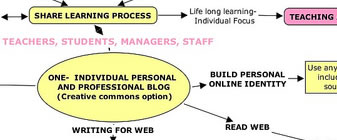
Networked learning- I intuitively 'get' the concept of networked learning why it makes sense for education and for teaching and learning, shared learning, the concept of students and teachers on the internet collaborating during the construction of their learning, they build their online identities and share knowledge , browsing, critiquing and commenting on each others contribution to the web via computer and mobile. Learning from each others identities and providing context, collective awareness growing and evolving over time, everybody's a network.

Networked learning mind map 1- Building online identity and sharing with others.

A simple concept with much underlying complexity , practical considerations only start to reveal when mapped out. We are currently researching and implementing the practical applications off these concepts. I am going through the process of mind-mapping my understanding of the different aspects of networked learning in relation to planning professional development for other teachers, www.teacherconnect.wikispaces.com . The project is about implementing a sustainable OPEN networked professional development model in collaboration with other educational organisations (You are invited to get involved).

For the mind-map I have used CMAP but want to be able to share and collaborate on mapping the concept further. I will put the information into a collaborative mind-map tool to get feedback and refine the model, maybe gliffy (Another great web2.0 name).

A networked learning Mastermind

Many educators in my network have inspired my learning and awareness along these lines and I share and recommend subscribing to their blogs:

Monday, April 24, 2006

A simple idea

One Simple Idea- Present networking technologies to resonate with teachers on the personal/ emotional level, more relevant to their lives.
  • Incentive

  • Build online identity

  • Application to pedagogy
An incentive to stick at it, to put the necessary time in at home, network, build an online identity, gain confidence then apply to teaching and learning. For example; Gently (no innovation overload) encourage colleagues to set up photosharing accounts (ie.flickr) accounts. One 'non-techie' colleague was recently shown how to use flickr, from this she quickly worked out how to put up pictures of what mattered to her and then link to friends. When recently asked to show the rest of the team, she said 'I'd love to' with a new welcome confidence. Initiate a number of people (catalysts) in how to photo share what matters to them, pictures of family, cats, the recent Rolling Stones concert ;-)... with their mobile phone, then maybe a bit of video of kids/ grandkids. They can show their friends and colleagues how to follow their lead, the collective gaining an inkling of how it can used for teaching their classroom tribe, the curiousity, confidence, desire... to ask themselves :-) how difficult can it be? Something I'm still figuring out...time to play with podcasting with delicious to teach, fun for me, unfamiliar for some. Happy to support and share with others what I learn...

Making the human connection


Kids love technology!
Originally uploaded by Steven Parker.
No doubt The Veronicas crowd was into the music! For me the concert was about a ‘collective tribal experience', a refreshing real life exercise & example of a ‘tribes’ positive collective emotional reaction to a shared experience (ie: the concert, the mention of mobiles & mySpace), & that lots of kids dig social software. In reflection, the emotional reaction is important. Their tribe is about is about friends, fun, mobile technology, web communities, girls/boys, favourite bands & punk rock rebellion!!

How do we get the educational system & teachers to realise to capture this enthusiasm to teach & inspire learning?

First we need to acknowledge & understand people's attitudes v's emotional response to technology & pedagogy.

Attitudes:
For example; if the curriculum/system does not allow for flexibilty to inspire teachers/administrators to incorporate new Web2.0 teaching practices, then they will be satisfied to work day in & out teaching, happy that they are meeting their job description/requirements, keeping the status-quo. On the other hand you have teachers/administrators who utilise/support new technologies ie: Web2.0 in the classroom.

Emotional:

When you see the tribal connection between the youth, who are embracing Web2.o, & the passionate techno savvy zeitergeist mavericks, who are frustrated by the need to have technology embraced enmasse by the non-initiated (eg: in education), you sense cathexis of the two, an energy that some have captured to move to a more open & networked learning pedagogy

The tribal connections...where do we start? Where are we at with initiating the un-initiated? Should they join the techie tribe? How will they benefit? What is the connection?...I see many adult's who don't see the relevance of technology in their lives, who overlook what’s going on with the younger generation & are happy enough not to join the with internet revolution.

There is no doubt that for many, after holding down a teaching job, family & life...once home, the time to look at a computer let alone explore Web2.0 technologies or engage with all the networking 'stuff' of an evening... is probably not a high priority!

Paradoxically…with younger generations who engage technology [Web2.0] in their day-to-day lives, their experience will effect to drive their desire to learn & evolve, & inturn they will look for accessible mentor’s to facilitate their education in this experience; to incorporate into more exciting pedagogy [from primary to tertiary]…so where are these mentors today, how do we engage a more positive response from the teachers/mentors?

We all have different connections (tribe) to each other, as we do to technology. What tribe you are in drives what connection you have to change & technology. We all have an ‘emotional response’ to technology whether it be positive/negative, excited/uninspired, engaged/closed minded.

At work, the way technology is affecting us emotionally (in some cases) may account for the slowness to change. Whereas others have drive & enthusiasm for new ways of thinking to utilise Web2.0 technology, others may see it as a threat to the status quo, others may simply unaware or at the extreme - be overwhelmed.

Today it is the adults who advocate how technology should be utilised in education eg: learning objects, LMS’s, firewalls… Paradoxically, when looking at what's happening with Generation-Y as an indicator, it's the youth of today who are driving the cultural & economical uptake of a more open internet, with mobiles & mySpace in their lives. Some educational innovators are bringing new web2.0 concepts into the classroom from the street, this is the start. Time will see the realised benefits & effects trickle through to the mainstream, though until there is a wider advocacy to incoporate new technologies in the classroom (or as part of professional development), it will appear the mainstream educational systems are working at a slower pace to adapt....BUT!! it seems to be changing... funding was recently released for several networked learning/ Web2.0 projects in VTE eg.teacherconnect.

If the educational technology (including the pedagogy) doesn't do 'IT' for students or even their parents!! Perhaps when choosing a school, TAFE, UNI they'll vote with their feet and find another progressive institution or something else to stick it to system :-).

The change to a networked society is happening naturally, Web2.0 being one aspect of this.

We need to facilitate the positive/negative emotional & attitudes to engage the two. How we can communicate this to the un-initiated masses in education, we as 'innovators' who's job it is to engage this target group need to show example and emphasis what is changing/happening, and just as importantly we need to re-remind the teachers that the youth of today, not only are adapting with the new technologies, they are easily willing & able to teach themsleves at home and take this enthusiasm to the class; so they will need a reciprocated response/outlet.

In the photo you see kid's using technology, jumping in and teaching themselves how to create their own music using garageband?.

Here's their bluegrass techno funk fusion

Wednesday, April 19, 2006

The Veronica's.....


The Veronicas April 2006
Originally uploaded by Steven Parker.


Last night I scored free! backstage passes to meet and see ‘THE VERONICAS!’ live at the Metro, thanks to my girlfriend, Belinda. Ha! Yes don’t laugh they rocked!!! (for all the size of them).


I've put up a video of the crowd from the concert.... can you spot me?! surrounded by 100’s of teenagers, average age of 14! As soon as The Veronica's came on stage, on and up went around 100 mobile phones to snap 'n send photos of posterity, though it mainly appeared to be for the videoing of the concert (my girlfriend included). Half way through the gig there was some audience commotion, when Lisa (one of the Veronica's) posed questions to the audience..... ‘Who has a mobile phone!?', followed by 'Who’s on MYSPACE?’. The crowd overwhelmingly screamed back "Yaahhh!!" with 100’s of mobile phones aloft!! …

I was amazed at the crowd’s response, there seemingly felt an awareness in the crowd of a sense of connection and community. 'MYSPACE' is an online community where you can blog, email, post to groups and find out what's going on in your local area/country. Check out The Veronica's MYSPACE.

Based on crowds the reaction, technology is cool, the in thing to be 'hooked up to', is now very well mainstream.

When looking around, it struck me HOW MUCH the mobile phone was part of their concert experience, and mine. As we have ability to take photo and video with our mobiles, people are more easily willing to display their captured images and share their experiences with the world/others/groups/friends/strangers. Right now this is done by blogging (eg: blogspot, myspace) and photosharing (eg: flickr). Where tomorrow?

One could see that as more people (at a younger age) move to embrace this new way of experimenting with technology to 'make a connection', and with the rapid development of these Web2.0 technologies the need for mainstream teachers (primary through to tertiary) to be aware and get involved to understand it's application to utilise in pedagogy is NOW.

Encourage Blogging with your colleagues and students! ... to share views, joke, upload pictures (flickr)... of Easter break, family, friends, The Veronica's concert! or even linking to something fun. This is a valid Professional Development strategy to encourage teachers to put the time into aspects of 'networked learning'. This is just as relevant for teacher realisation to engage students in their day to day lives, to complement the learning environment.

Wednesday, April 12, 2006

Tagging the usefulness of Web2.0 to teaching


theThinker.JPG
Originally uploaded by Steven Parker.


I’m interested to know why should teachers invest a large chunk of time in getting to grips with Web2.0 technologies, which include new concepts such as networking and blogging?

I invite anyone reading this blog to comment from your perspective or point me to your posts.

For many teachers new to learning how to utilize these new technologies; the meaning of Web2.0 and it’s application to teaching needs to be understood first. ‘Why should I learn this? How will it be useful for me as a teacher?’

I want to use delicious tags (verbs) mixed and matched to communicate the usefulness of a tool and attributes in a teaching and learning context.

To start with I have chosen verbs to associate with the application of Web2.0 technologies as part of a networked learning pedagogy :
  • Sharing information/ sharing aspects of self
  • Discovering information/ discovering people
  • Engaging with information/engaging with people and what they have to say
  • Participating in tasks/ participation with group or individual in conversation
  • Reflecting on learning/learning from others
  • Inspiring.
As I collect new Web2.0 tools, sites and teaching and learning case studies in delicious as part of the ‘teacherconnect’ project I will associate the verbs as tags .

Tags:
teacherconnectShare
teacherconnectDiscover
teacherconnectEngage
teacherconnectParticipate
teacherconnectReflect
teacherconnectInspire

http://del.icio.us/stevenraymondparker


delicious- also includes tags teacherconnectInfo, teacherconnectTools, teacherconnectBlogs, Jo has them RSS feeding into teacherconnect.wikispaces :-)

The tagging data is searchable and I can then use this in training as another tool to communicate the meaning of Web2.0 and it’s application in a teaching and learning context.

What I want is teachers be able to search on what I want they want do to teach, be presented with the tools, information to do the job (with a peer rating system on how effective they are) with links to their colleagues friends and peers profiles to tell them what to do if they have problem.

Saturday, April 08, 2006

Queanbeyan Web2.0 Blogging Posse


Image416.jpg
Originally uploaded by Steven Parker.
On Friday I jumped in my car to drive the 500 kilometers from Wollongong to Queanbeyan, to make the human connection with a group of 3 eager TAFE teachers from this country town near Canberra. Self-confessing to having basic IT skills they wanted to make the leap from the whiteboard to teaching online. My job was to re-engage them after their 3yr hiatus in how the LMS worked. I also dropped in a few Web2.0 technologies with the outcome of the group creating their first blog and ‘delicious’ account...

One of the teachers (Adult Basic Education), immediately recognized the possibilities of using the Web2.0 technologies to communicate with her students. This was exciting and encouraging, I love to see the sparks of imagination fly for the use of Web2.0 technology, such as Flickr, which was used to facilitate photo sharing.

During the day’s Workshop the ideas of how they could validate to incorporate this technology started to flow; 'We can get the students to take pictures of their day, [post to flickr] write about it and present to each other….’ and ‘.. [the] students will find that fun!… as they switch off when I start using the whiteboard’

The day’s workshop was a small step towards encouraging teachers as a way forward to incorporate more interactive teaching and learning tools for pedagogy. I’ll be tracking their progress with Bloglines and RSS.

Satisfaction for me was to walk away with awareness that there is a growing desire of teachers [in TAFE] out there who may not be initially IT savvy, who may have been out of the loop for sometime, despite this they are keen to jump on board with their own personal development to engage with learning new technologies and to discover their workable application in teaching and learning. A win win outcome

Monday, March 27, 2006

Kickstarting my Web2.0 networked learning

Tomorrow I deliver a workshop on using a certain Learning Management System. To prepare I spent two hours deciphering the in's and outs of how a teacher simply communicates with the student, not much to say apart from arghhh!! It's a mess of intricacy, unnecessary clicks and deciphering of links just to work out how to tell the student 'Good work on your paper'! If you can find the paper!!

Speaking to the teachers about what they want from the workshop I got the sense that they where traumatised! and put off by the experience and frustration of a LMS. Now, 3 years later, they want to try again (the word nightmare was used) I'll show them how it works (what they asked for) but really... it was a big ask to get them to use this thing to manage their class 3 years ago. I don't think they'll find the technology anymore inspiring.

I like alot of others have been inspired of late by the 'idea' of networked learning; the Web2.0 technology that enables the networks to form, blogs, RSS great!! there is alot of talk, if you want to know more I recommend Stephen Downes recent podcast.

Networked learning, networked connections with people, networked relationships with people, networking to inspire and learn from each other, the idea is great!! Its easily said and conceptualised, easy in the real world, shooting the breeze around the training room. Working virtually it takes a sustained effort.


After the LMS training tomorrow I'll show the group how to pull together their own personal learning environment, pulling together a variety of Web2.0 technologies.
The ability these technologies afford together, to form connections and networks with other people is great. Lots of free easy to use technologies loosely joined that can be pulled together for each new teaching circumstance.

My job as a web developer for the past 5 years has been all about producing educational stuff with technology, stuff to be consumed. Thats changing- rapidly I now have to start to think how I can show teachers how relationships networking and participate with others in professional dialogue is off benefit in day to day. A tough call?

I have created the wiki teacherconnect.wikispaces.com to present networked learning examples and resources. I invite others to contribute.

S

Saturday, November 19, 2005

teacherSmart Nov Workshop and Network Learning Model

Well the past week has been very busy running the teacherSmart November workshop drafting a network learning funding submission for the Illawarra Institute and meeting with managment to discuss plans for professional development and the pros and cons of blogging, plus lots of other jobs.

There was excitment and enthusiasm from the teachers about implementing web 2.0 technologies such as blogger, delicious, flickr etc. The general concensus being I CAN USE THIS!

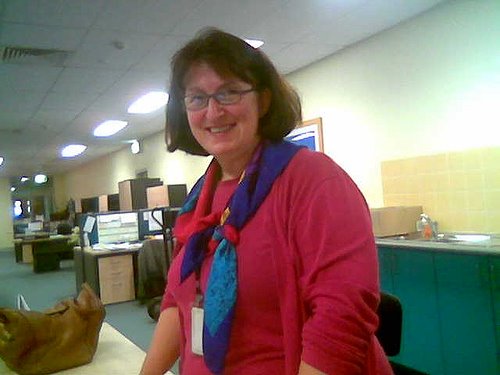
Teachers
Not sure what I am saying from some expressions ;-)


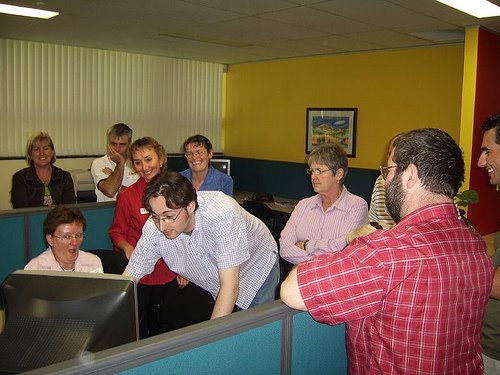
Management
Gabrielle from professional development sets up her first blog.


Colleagues


Check out Joanna's photos of workshop

We are looking to implement these web 2.0 technologies as part of a network learning model that focuses on the ongoing tracking, sharing and promulgating of teacher outcomes AFTER they do teacherSmart professional development and network/ learn from each other. The project teacherSmartConnect will use network learning technologies and practices (eg. Flickr Utilising Blogs, social software and RSS). The Network learning approach will enable the transfer of knowledge, skills and information between teachers, management and policy setters throughout the organisation.

Monday, November 07, 2005

Network Learning Face to Face- Open Fridays

We will soon be trialling a different approach to Professional development having a weekly informal 'open' Friday at the TLRU with all teachers interested in blended and elearning technologies being able to come together and collaborate ideas, skills and resources. The TLRU staff will offer full support but importantly it will offer Illawarra Institute staff the opportunity to network with their peers, learn from other and have access to the great TLRU resources. This will be recorded as a Professional Development Activity.

In particular the TLRU looks forward to working with Dapto IT to implement systems and technology, to develop a self sustaining Professional Development Network of teachers to facilitate communicating and sharing ideas and innovations that benefit the entire organization. Also to promulgate the achievements and outcomes of teacher work to the community and industry.

Focus on the outcomes?

The outcomes
At the end of the of a 3 day teachersmart workshop we want maximum return ROI, we want our teachers to walk away with:
  • The Awareness, confidence in their own abilities, and the skills and knowledge to source utilize and develop eLearning resources.

  • The desire to become active participants of an online network of teachers to exchange ideas and information, to work with the technologies, to promote the endless use of new and exciting resources (peer to peer).
These learning outcomes will provide teachers with the sustainable skills to be able to cope with change and empower themselves, their colleagues and their students with technology.

Learning from each other

Collaborating and working in groups and Show and Tell

OK I have a number of posts that have been sitting in draft format which I want to publish, in particular I am interested in effective professional development techniques that people are using.

TeacherSmart workshops adopt a collaborative group based learning approach during in exploring technologies.
To begin, the group discusses and sets boundaries with a limited number of easy to use technologies to prevent innovation overload. As a group we brainstorm how these might be most effectively used.

For example each team member in the group is given the task of exploring a new technology (eg. flickr, using a digital camera, sourcing materials from creative commons), based on a desired agreed learning outcome.

We encourage playing with the technology as a group - for example figuring out how the audio recorder works and how to best utilize it.

If the group is all working on the same project each team member is asked to develop specific activities that, when combined, achieve the learning outcomes for the group.
We suggest advanced teachers support others and intermediate users work together so that less confident teachers can have more access to Teaching and Learning Resource Unit (TLRU) trainers.

At the end of the day the group has a show and tell. This is the exciting stage in that everybody gets to show what they have achieved.


It is possible to cover a large variety of technologies in a short space of time and this technique instills confidence. Teachers can learn from each other and follow up on what interests them after the workshop through networking with their peers or coming into the TLRU at a later date.


Professional development? Where we are going?

Engaging to Empower the Basic to Intermediate Skilled Teacher through Network Learning
In my mind the major challenge is to empower the greater majority of teachers with basic to intermediate skills new to eLearning

To initiate these outcomes Teachers with basic to intermediate skills have been traditionally supported in their first steps with professional development for example:

  • Workplace training
    Trainers go out to workplaces and show and train teachers how to utilize useful technologies such as audio and svideo within the workplace

  • Workshops
    We have advertised and provided timetabled specific professional development programs where teachers with basic to intermediate skills can visit to learn about using critical technologies such as a digital camera, Microsoft Outlook and Word

  • Online courses
    Teachers can empower themselves with information and skills and work through at their own pace.
Learning success is often measured by the transfer of knowledge and skills in the workshop or through a Learning Managment System within a structured framework and allocated timeframe. The measure of success being positive or negative feedback on the PD evaluation form.

In the future the focus wil be on THE OUTCOMES over time; beyond the professional development through incorporating a new networked learning approach to professional development, the premise being:
  • Train and support a teacher to manage technology and network with peers and they will be empowered.
  • Actively engage with teachers following professional development to track their progress and promulgate the outcomes of their work

The TLRU is constantly researching to keep ahead of technology. The pace of change in technology is relentless, and there are limited resources for Professional Development. We are looking at strategies that will enable us to:
  • Leverage the latent skills and knowledge of innovative TAFE teachers
  • Provide systems and technology to facilitate communicating and sharing ideas and innovations that benefit the entire organization.

Questions include how we can share innovation, knowledge and improve upon it. If the innovation is useful it will flourish, otherwise it will not be adopted.

This is a subject that I look forward to exploring further on this blog.


The Challenges

OK, it's been a busy past couple of months trying to get 'product' out the door at the TLRU. In particular the new version of teacherSmart. Time to focus on PROCESS, in particular network learning. I'm posting some of the context of my thinking for what I want to achieve with a networked learning approach for me as an individual and in my professional role at TAFE.

From my point of view The Challenges we face as educators:

  • Fast pace of change in technology – keeping up with the changes, recognition that it is relentless. The latest version!

  • Knowledge and Understanding – of the benefits of technology for teaching and how to use it. How do I learn and cope, if I am to use technology The challenge for basic to intermediate users.

  • Time – Teachers lack of time to investigate and learn new technologies and about the possibilities. They need quick fix solutions and support, from organisations like the TLRU or their peers.
  • Accessing training, equipment and information, and knowing where to get help, what my peers doing?

I'll use this blog to record my thoughts on how we address these issues with a networked learning approach. Comments, ideas appreciated.